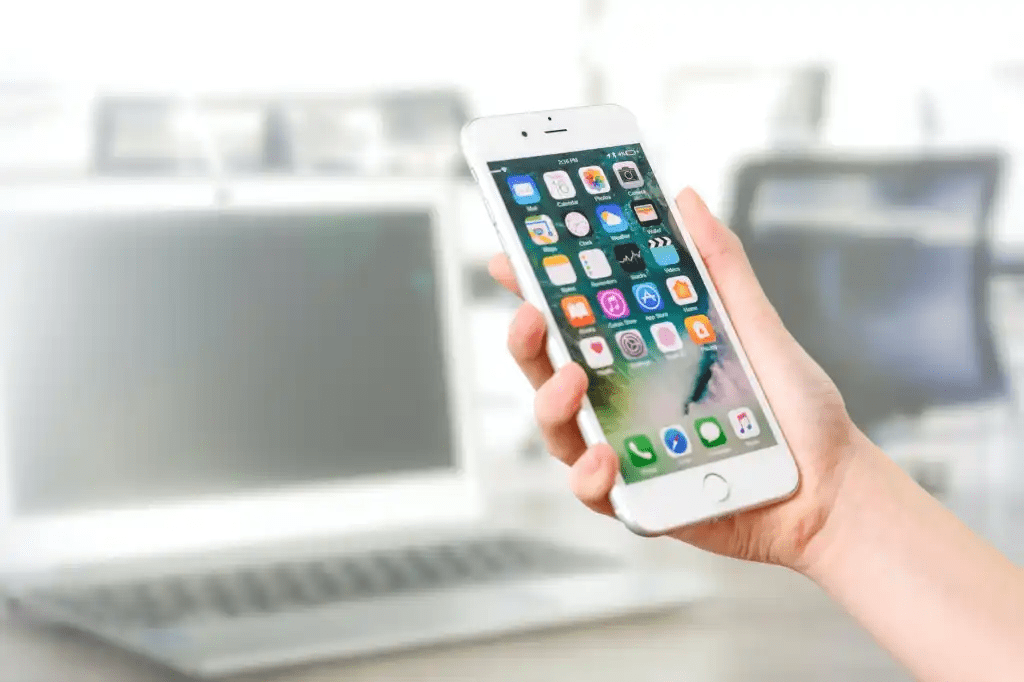
Welcome to my shift workers wellness coaching blog! I am so glad you found us. Everyone knows that in today’s day and age if you want to do something, keep track of something, or find something there is an App for it. Well shift work is no different. Yes, they make an app for shift workers. Today, I’m going to tell you about some of them and the differences and the pros and cons. Now this is not all the apps, just some of the ones I have researched and thought I would mention. I don’t use any of them personally, but I might try one just to give you some honest feedback. So, let’s dive right in and take a look at some of these interesting apps.
TIMESHIFTER
This is probably one of the best and one of my favorites. The co-founder, Dr. Lockley, is a world-renowned scientist who works with NASA and Formula 1 drivers for peak performance, shift work, and jet lag. He is an Associate Professor of Medicine in the Division of Sleep Medicine at Harvard Medical School. Some of the features this App has:
Practicality Filter- easy to follow in real world time.
Constraint Handling- add constraints so advice is accurate.
Advice Notifications- push notifications even when app is not opened.
Fatigue Prediction- warns you when to be extra careful.
Intuitive Guidance- see large graphics what advice is coming up.
I tried the App and got on a waiting list. It must be fairly new. Whenever I get a notice to start, I will keep you informed of how it is and the benefits.
Shift Work Calendar
This App is more of an organizer, than a health App. But it does come in handy when you need to get organized and look at your schedule ahead of time. Some of the cool features this App has, according to the site:
Custom labels can be created with unique colors and names.
Custom shift patterns can be created.
Shift patterns can be quickly added to the calendar automatically repeating for years if required.
Pay days can be quickly added to the calendar.
Calendar Colors can be changed for a personalized appearance.
Events can be added to the calendar to show appointments, meetings etc.
Events can have a notification / alarm reminder.
Calendars can be stored in the cloud for easy transfer between your devices.
Calendars can be shared with friends / family / colleagues using cloud share.
Multiple calendars can be stored.
A lock option can be enabled to stop accidental changes of the calendar.
Undo button allows mistakes to be rectified when adding labels to the calendar.
Search device option to easily import calendar files.
I believe this would be a good App if you maintained the same shift, like firemen who are either on A, B, or C shifts they can input the calendar based on that shift. But it probably would not work out if you worked different shifts every week. There is a regular version of the App and a Pro version.
Work Shift Calendar
This is another organizer App but it did get 4.7 stars out of 5 and 5M downloads. So, it must be pretty good. According to the App site, this App is designed for shift workers and for people who need to manage their day to day affairs. It is similar to the previous App, but it got better reviews and more downloads. From the site it looks like it might have more features, which include:
SHIFTS 📆
– Create fully configurable shifts ✏️
– Add your workday, with option to include split shift and rest time. Keep track of your schedules 📊
– Enter your income, overtime and early exit. Set up earnings and control working time easily 💰
– Create alarms associated with that shift (for that day or for the previous day) and customize its sound 🔔
– Include actions at the beginning or end of the schedule of each shift (WIFI, sound mode, Bluetooth) 🔇
– Paint up to two shifts per day.
– Import your shifts from one calendar to another.
– Add customizable icons associated with a date 🐱
NOTES 📝
– Create notes on each day and add reminders with alarms. Don’t ever forget important appointments or notes 🔔
– Customize the sound of alarms.
– Include images and handmade drawings in your notes ️🖼️
TOP FUNCTIONS 🚀
– Enjoy the Monthly and Annual View (which allows you to see all months of the year just by sliding the screen, as well as Annual Statistics).
– Export your calendar to Google calendar.
– Add national holidays directly from Google Calendar 🌴
– Control working time and earnings by selecting a range of dates in the Statistics section.
– View upcoming notes at a glance.
– Compare different calendars.
– Share your calendar (monthly, annual view or comparison of calendars) with your friends via WhatsApp, email, Telegram … 📧
– Create backups easily.
– Set up to ten different calendars.
– Import other calendars simply.
– Use the icon search to find them quickly 🔎
EASY TO USE
– Modify your calendar in two ways:
(1) Quick mode or Paint: Select an event from the drop-down list and click on the days to paint them with that event 🎨
(2) Edit Mode: Select one or more days and perform actions in the selected day range (repeat, copy, cut, paste, delete or assign shifts) ✂️
– Shifts menu: you can see all the shifts of that calendar, create new ones, edit, reorder or import them.
FEATURED FEATURES ⭐️
– Easy to use.
– Clear interface.
– Customizable.
– PRO version that unlocks great advantages.
– Tutorial with the basic functions of the app and help section (FAQs)
– Fast and personalized customer service ℹ️
– Social networks 👍 enjoy explanatory videos, information about new updates and more visual content by joining our Shifter community.
There was a really good research article published by the National Library of Medicine. https://www.ncbi.nlm.nih.gov/pmc/articles/PMC10064476/
This research was on a mobile app used for managing sleep for shift workers. It was a testing trial. If you get a chance, I suggest reading it and check out their findings. It’s interesting to me that there are people out there researching the effects of shift work and how unhealthy it is and the effects it takes on our bodies. According to the trial,
“This pilot trial provides preliminary evidence of the positive impact of the SleepSync app in improving sleep and mood outcomes in shift workers, and warrants confirmation in a larger controlled trial.”
“The most immediate adverse consequence of shift work and non-standard hours is inadequate sleep (acute and chronic). In addition, the schedules imposed by shift work often oppose the timing of the internal circadian clock,3 such that it is misaligned with sleep and wake. Consequently, shift workers report an increased functional impact of sleep disturbance and misalignment, including impaired alertness/increased sleepiness during wakefulness,4–7 compared to the general population”.
So, in conclusion, I hope this helps a little bit to understand the Apps that are available. This is just a few and the pros to them is that they are available if you need to get organized, track your sleep, fitness, calendar, or diet, there is an App for it. Sleep is probably one of the biggest challenges to shift work. But if you find an App that tracks your sleep, fitness, and diet, please use it. I have a watch that does it and it fairly accurate, it works very well and is well worth the money.
Let me know if you need help with shift work, nutrition, sleep, or getting more energy. I am here for shift workers, and everyone is different so I don’t have cookie cutter answers or approach to my way of helping. I believe it is based on the person and not the situation.
Take care and until next time,
Darren
 Harmony Shift